I ran into a problem recently where lower environments were running out of space. Clones were slow, storage was high, and nothing pointed to the real reason. Production looked normal, but the other instances were struggling.
The root cause was not obvious. The usual tables were fine. Attachments were stable. Logs were under control. Something else was pushing storage up. That’s when I found two Support Portal catalog items that helped me see everything clearly: Database Footprint and Cloud usage request.
Database Footprint
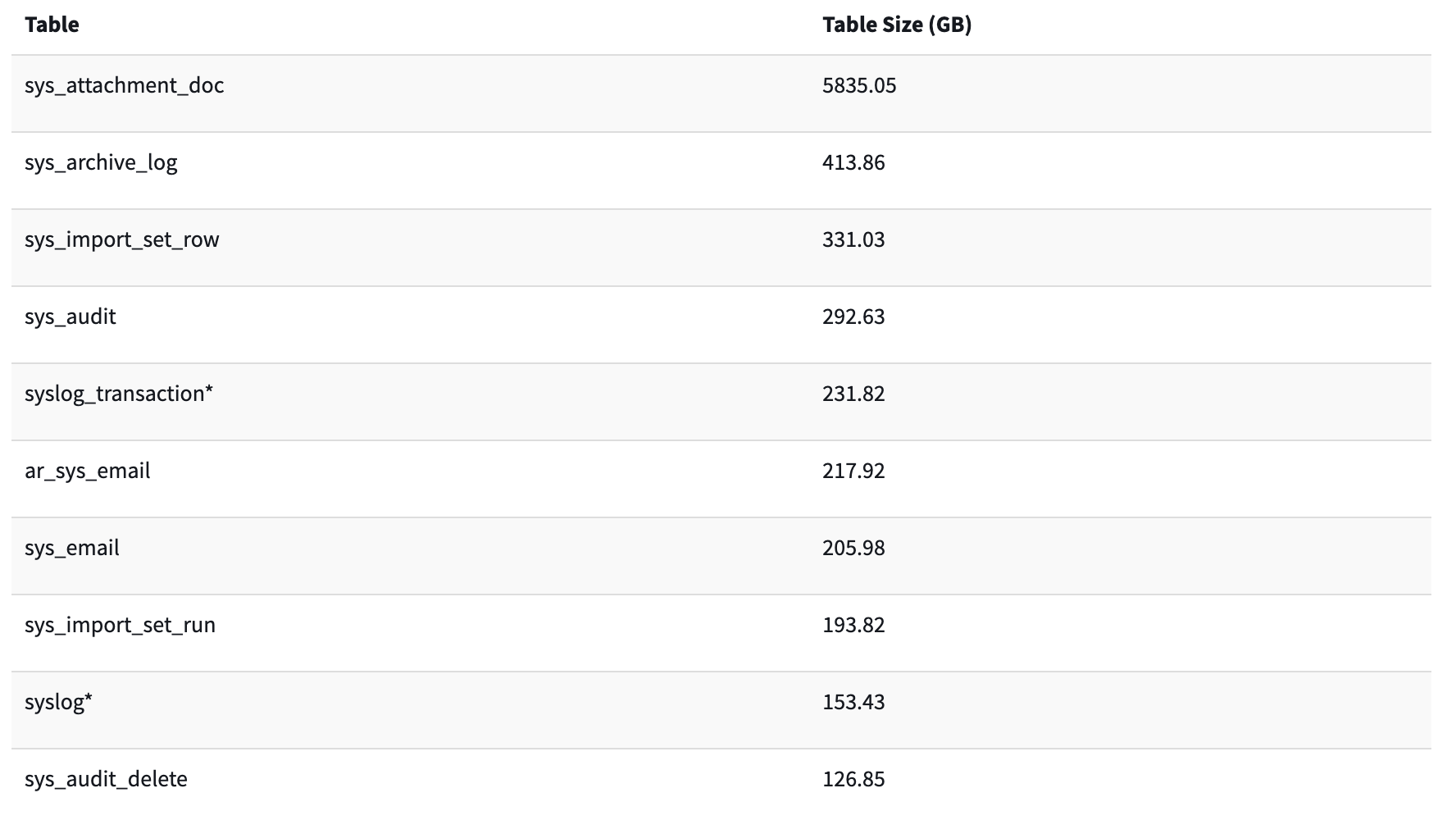
This report shows the largest tables in your instance. It gives you:
- Table name
- Table size (GB)
When I ran it, I noticed something odd. Archiving tables were huge. Much larger than they should be. These tables were fine in production, but cloning everything into lower environments turned them into the main problem.
Cloud Usage
After that, I used the Cloud usage request item. It confirmed the spike. The database layer kept growing because archives followed every clone into all environments.
The report helped me see:
- Instance name
- Instance purpose (Prod or sub-prod)
- Instance deployment (Shared or not)
- Created On (Date instance was deployed)
- Date as Of (Current date)
- Usage in TB (Size)
The fix
Once we saw the cause, the fix was clear. We moved all archiving tables to the clone exclusion list and kept them only in production, which is the only place where people actually use this data. For lower environments, we applied Destroy Rules to clear the archived records we didn’t need.
After the cleanup, we opened a Support ticket and asked ServiceNow to run a database defrag. That step helped us reclaim even more space once the Destroy Rules finished their work.
Lower environments stay clean. Clones are smaller. Storage drops. Performance improves.
What you can check today
If you want to look at your own instance, start with these simple actions:
- Largest tables using Database Footprint Catalog Item
- Current instance storage using the Cloud Storage Catalog Item
- Audit and log retention
- Tables that don’t need to be cloned to lower enviroments
With all these in your hands, you can easily draw a plan to keep your instances clean!